
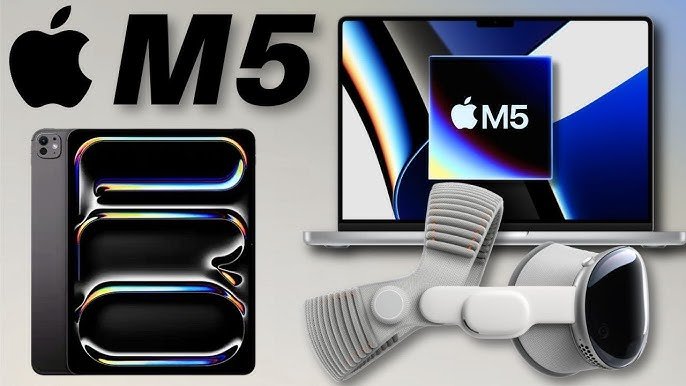
Overview Table
| Feature | Description |
|---|---|
| Processor | Apple M5 Chip |
| CPU Cores | Up to 10-core CPU (8 performance + 2 efficiency) |
| GPU Cores | Up to 16-core GPU |
| Neural Engine | 16-core Neural Engine for AI/ML tasks |
| Memory | Unified memory up to 64GB |
| Storage | Up to 4TB SSD |
| Battery Life | Up to 21 hours (depending on usage) |
| Performance | High efficiency for multitasking, creative work, and office productivity |
| Heat Management | Passive and active cooling support depending on device |
| Connectivity | Wi-Fi 6E, Bluetooth 5.3, Thunderbolt 4 |
Introduction
The Apple M5 chip is the next-generation processor designed to power MacBooks, iMacs, and Mac Minis, offering a significant upgrade in performance, efficiency, and graphical capabilities. Unlike Intel or AMD-based laptops, Apple’s M5 chip integrates CPU, GPU, memory, and Neural Engine into a single system-on-chip (SoC), allowing for high performance while consuming minimal power. The chip is designed for students, content creators, and office professionals, addressing the varying needs of multitasking, creative workflows, and everyday productivity.
In this review, we will analyze the Apple M5 chip’s performance in different scenarios, including student workloads, creative tasks like video and photo editing, and office productivity, helping users determine whether it is suitable for their needs.
Architecture and Design
The M5 chip is built using Apple M5 Chip latest 3nm fabrication process, enabling better transistor density, efficiency, and performance compared to the previous generation M1 and M2 chips. The CPU architecture includes a combination of high-performance and high-efficiency cores. The high-performance cores handle demanding tasks such as rendering, compiling code, and heavy multitasking. The efficiency cores focus on background processes, keeping battery consumption low while maintaining responsiveness.
The GPU component has been significantly enhanced in the M5 chip, providing up to 16 cores in higher-end models. This allows for smooth video editing, 3D rendering, and gaming, all while maintaining low power usage. The Neural Engine allows AI-powered tasks, including image recognition, predictive text, and advanced workflows in apps like Final Cut Pro and Logic Pro, to run faster and more efficiently.
Unified memory architecture allows the CPU, GPU, and Neural Engine to access the same memory pool without copying data between components, improving speed and reducing latency.
Performance for Students
Students require laptops that are reliable, portable, and capable of handling multitasking between web browsing, online classes, note-taking, and research applications. The Apple M5 chip excels in these scenarios due to its balance of performance and efficiency.
Applications like Microsoft Office, Google Workspace, and other productivity apps run smoothly without lag. Multitasking is seamless, allowing students to keep multiple browser tabs open while working on assignments or presentations. The battery efficiency of the M5 chip ensures longer usage during lectures, study sessions, or library work without frequent charging.
For students involved in technical coursework, such as coding, data analysis, or simulation software, the M5 chip provides a powerful environment to run IDEs like Xcode, PyCharm, or MATLAB without compromising performance.
Performance for Creators
Content creators benefit significantly from the M5 chip’s enhanced GPU and Neural Engine. Video editors can render 4K and 8K footage faster than previous generation chips, and the efficiency cores help optimize power consumption while editing on-the-go. Applications like Adobe Premiere Pro, Final Cut Pro, and DaVinci Resolve leverage the GPU cores and unified memory to reduce rendering times and improve workflow speed.
Photographers and graphic designers using Photoshop or Affinity Photo will notice improved performance when working with large files and multiple layers. The M5 chip’s Neural Engine assists in AI-based tasks like object detection, image enhancement, and noise reduction.
Musicians and audio producers also benefit from lower latency and efficient handling of multiple tracks in DAWs like Logic Pro and Ableton Live. Even with demanding projects, the system remains cool and responsive.
Performance for Office Work
Office professionals need devices that can handle spreadsheets, presentations, video conferencing, and multitasking. The M5 chip is highly optimized for these workloads. Applications like Microsoft Office Suite, Slack, Zoom, and Google Workspace run efficiently, allowing for smooth multitasking between multiple documents, emails, and video calls.
Battery longevity ensures that professionals can work remotely without worrying about frequent recharging. The low heat emission allows for quieter devices, making them suitable for meetings or shared office environments.
The chip also enhances security with Apple M5 Chip secure enclave and optimized encryption, ensuring sensitive business data remains protected.
Graphics and Multimedia
The GPU in the Apple M5 chip allows for high-quality graphics performance without relying on discrete graphics cards. Students and professionals working with graphics, CAD, or animation software can experience smooth frame rates and high-resolution rendering.
The M5 supports multiple external displays via Thunderbolt 4, allowing creators and office workers to extend their workspace. Video playback is smooth even in 8K resolutions, and streaming or editing high-definition content is seamless.
The Neural Engine contributes to real-time image and video processing, enabling faster AI-based effects in apps like Photoshop and Final Cut Pro.
Battery Life and Efficiency
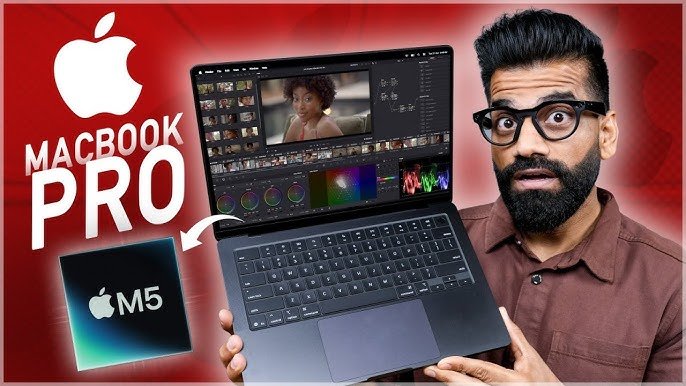
One of the most remarkable aspects of the Apple M5 chip is its energy efficiency. Devices powered by the M5 chip can last up to 21 hours under typical usage scenarios, such as web browsing, document editing, and video playback. Students attending long lectures, creators working remotely, or office professionals traveling for work can rely on consistent battery life.
The efficiency cores allow the M5 to perform background tasks without draining the battery, and the chip intelligently manages power distribution between CPU, GPU, and Neural Engine.
Connectivity and Compatibility
The Apple M5 chip supports the latest connectivity standards, including Wi-Fi 6E and Bluetooth 5.3, allowing fast internet access and stable peripheral connections. Thunderbolt 4 ports provide high-speed data transfer, external GPU support, and 4K/8K display connectivity.
The M5 chip runs macOS Ventura and upcoming macOS versions seamlessly. Compatibility with major software for students, creators, and professionals ensures a smooth experience without software lag or incompatibility issues.
Heat Management and Thermal Design
Despite the high performance, the M5 chip is efficient in thermal management. MacBooks and Mac Minis using the M5 chip employ a combination of passive and active cooling. For lighter workloads such as office tasks, students’ usage, or media consumption, the system runs silently with minimal fan activity. During heavy workloads like video rendering or complex simulations, the fans kick in, but the device maintains safe operating temperatures without throttling performance.
Pros of Apple M5 Chip
- High performance with up to 10-core CPU and 16-core GPU.
- Excellent battery efficiency for long hours of usage.
- Seamless multitasking for students and office professionals.
- Superior creative performance for video, photo, and audio production.
- Unified memory architecture improves speed and responsiveness.
- AI-optimized Neural Engine for creative and productivity tasks.
- Supports latest connectivity standards like Wi-Fi 6E and Thunderbolt 4.
- Efficient heat management even under heavy workloads.
Cons of Apple M5 Chip
- Limited to Apple M5 Chip devices; cannot be upgraded or used in third-party systems.
- High-end models with maximum GPU and memory are expensive.
- Some specialized software may not yet be fully optimized for the M5 chip.
- Limited upgradability of RAM and storage in most MacBook models.
Conclusion
The Apple M5 chip is a versatile and powerful processor that caters to students, content creators, and office professionals. For students, it delivers excellent multitasking capabilities and battery life for long study sessions. Creators benefit from fast rendering, AI-enhanced workflows, and smooth handling of demanding creative applications. Office professionals enjoy reliable performance, long battery life, and seamless operation across productivity applications.
While the M5 chip is limited to Apple M5 Chip hardware and may come at a higher price for top configurations, the combination of performance, efficiency, and creative capabilities makes it a highly attractive option for users looking for a future-proof device. Overall, the Apple M5 chip sets a new benchmark for performance, battery efficiency, and versatility, making it suitable for a wide range of professional and educational tasks.