
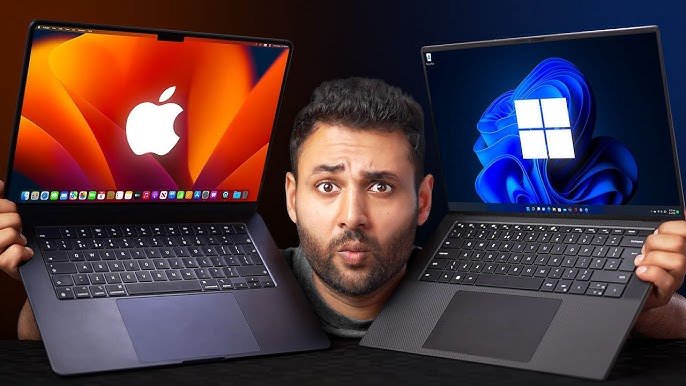
Overview Table: Mac vs Windows Laptops Key Comparison
| Feature Category | Mac Laptop | Windows Laptop | Benefit/Notes |
|---|---|---|---|
| Operating System | macOS (Ventura, Sonoma, or later) | Windows 11 / Windows 10 | OS determines software availability, interface, and ecosystem compatibility |
| Processor | Apple M-series chips (M2, M3) | Intel Core / AMD Ryzen | Performance efficiency, multitasking, gaming, and power consumption vary by chip |
| RAM & Storage | 8GB–64GB RAM, 256GB–8TB SSD | 4GB–64GB RAM, 128GB–4TB SSD | Affects multitasking, storage capacity, and upgrade options |
| Display | Retina or Liquid Retina OLED/IPS | IPS / OLED / Mini-LED (varies by brand) | Color accuracy, refresh rate, and resolution impact media creation and viewing experience |
| Graphics | Integrated M-series GPU or discrete AMD/NVIDIA | Integrated Intel/AMD or discrete NVIDIA/AMD | Determines gaming, video editing, and 3D rendering capabilities |
| Battery Life | 15–24 hours (M-series) | 4–15 hours (varies by brand/model) | Mac offers more efficient power usage due to ARM architecture |
| Build & Design | Premium aluminum unibody | Varies: aluminum, magnesium, plastic | Mac prioritizes thinness, weight, and minimalism; Windows varies widely |
| Software Ecosystem | Apple ecosystem: iPhone, iPad, AirPods, iCloud | Wide compatibility: Microsoft Office, Adobe Suite, third-party apps | Ecosystem integration may influence device choice |
| Security | Strong native encryption, fewer malware threats | Frequent updates, antivirus recommended | macOS considered more secure by default; Windows more targeted by malware |
| Price Range | $999–$6999 | $300–$5000 | Windows laptops cater to budget and enterprise markets; Mac targets premium segment |
| Upgradeability | Limited (non-upgradable RAM/SSD in most models) | Often upgradable | Windows laptops allow hardware upgrades in many models |
| Gaming | Limited to non-demanding or cloud gaming | High-end gaming with dedicated GPUs | Windows dominates PC gaming market |
| Repairability | Moderate to low (Apple Authorized Service Providers) | Varies (some easily repairable) | Windows laptops often easier to repair and upgrade |
| Ports & Connectivity | Limited ports, Thunderbolt / USB-C | Wide variety (USB-A, HDMI, Thunderbolt, SD card) | Mac favors minimalism, Windows offers flexibility |
| Support & Warranty | AppleCare, consistent global support | Varies by manufacturer | Apple provides uniform experience; Windows support depends on brand |
Introduction
Mac vs Windows Choosing the right laptop in today’s market can feel like navigating a maze. Two dominant ecosystems—Apple’s macOS and Microsoft’s Windows—offer distinct experiences, each with unique strengths and weaknesses. From hardware design to software capabilities, performance, security, and cost, the choice between a Mac and a Windows laptop is rarely straightforward. This article explores every aspect of these platforms, helping readers make an informed decision based on their needs, preferences, and professional or personal use cases.
The debate between Mac vs Windows laptops is more than a matter of brand loyalty; it reflects differences in design philosophy, ecosystem integration, software optimization, and long-term value. Whether you are a creative professional seeking flawless multimedia performance, a student requiring affordability and versatility, or a business professional prioritizing compatibility and productivity, understanding the nuances of each platform is crucial.
This article provides a detailed comparison, evaluating hardware, software, performance, ecosystem, security, user experience, and value, supported by a comprehensive overview table for quick reference.
Design and Build Quality
Mac Laptop Design Philosophy
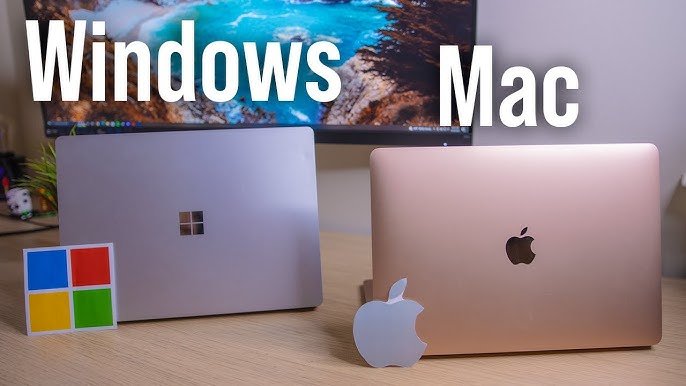
Apple has consistently emphasized a premium design language in its laptops. Mac vs Windows feature aluminum unibody construction, smooth edges, and a minimalist aesthetic that prioritizes durability and portability. The design is consistent across the product line, creating a cohesive visual identity. Every detail, from the hinge mechanism to the keyboard layout, reflects Apple’s philosophy of functional elegance.
Windows Laptop Design Variety
Windows laptops exhibit a wide spectrum of designs. Brands such as Dell, HP, Lenovo, and Asus offer options ranging from lightweight ultrabooks to heavy-duty workstations. Materials vary from premium aluminum to reinforced plastic, offering flexibility in weight, durability, and cost. While some high-end Windows laptops rival MacBooks in build quality, the variability across manufacturers can make design consistency less predictable.
Ergonomics and Portability
MacBooks maintain a balance between thinness and structural rigidity, with laptops as light as 2.8 pounds (MacBook Air) and as robust as the 16-inch MacBook Pro. Windows laptops range from ultra-thin ultrabooks weighing under 3 pounds to workstation-class machines exceeding 6 pounds. Users who prioritize portability and comfort may favor MacBooks, while those seeking higher performance at lower cost might prefer Windows options.
Display Technology and Visual Experience
Retina and Liquid Retina Displays
MacBooks feature Retina or Liquid Retina displays, offering high resolution, excellent color accuracy, and wide viewing angles. Color reproduction is consistent, making MacBooks ideal for photo editing, video production, and design work. True Tone technology adapts the color temperature to ambient lighting, reducing eye strain.
Windows Display Variability
Windows laptops utilize a variety of displays, including IPS, OLED, Mini-LED, and touchscreen panels. Resolution and refresh rates vary significantly, from standard 1080p to 4K UHD displays. While high-end Windows laptops match or exceed MacBook displays in resolution and refresh rates (up to 165Hz), budget models often lag in color accuracy and brightness.
Refresh Rate and Multimedia
Higher refresh rates are common in gaming-focused Windows laptops, providing smoother motion for games and videos. MacBooks are optimized for smooth scrolling and animation, but they traditionally cap at 120Hz. For multimedia professionals, both platforms deliver excellent experiences, though Windows may offer higher flexibility in resolution and refresh rates.
Performance and Hardware
Mac Laptop Performance
Apple’s transition to M-series chips (M1, M2, M3) revolutionized MacBook performance. These ARM-based processors combine high efficiency with powerful integrated GPUs, offering long battery life, near-silent operation, and consistent performance across applications. RAM is unified, improving data access speed, and the tight hardware-software integration enhances stability.
Windows Laptop Performance
Mac vs Windows laptops rely on Intel Core and AMD Ryzen processors, often paired with discrete NVIDIA or AMD GPUs. This allows for high-performance computing, gaming, and content creation, though it can result in higher heat output and shorter battery life compared to Mac vs Windows laptops often allow RAM and storage upgrades, which provides longevity and customization.
Gaming and Graphics
Mac vs Windows are generally not optimized for high-end gaming, with limited AAA game titles available natively. Mac vs Windows laptops dominate gaming, with dedicated GPUs and support for ray tracing, high-refresh-rate displays, and VR. For creators, MacBooks excel in video editing and software optimization, while Windows offers more raw power and flexibility for both gaming and professional workloads.
Software Ecosystem
macOS Advantages
macOS offers a polished, intuitive user interface with seamless integration across Apple devices. Features such as Handoff, AirDrop, Continuity Camera, and iCloud create a cohesive ecosystem for productivity. Native applications like Final Cut Pro and Logic Pro are optimized for M-series chips, providing industry-leading performance for creative professionals.
Windows Ecosystem Flexibility
Mac vs Windows laptops run the widest range of software, from legacy business applications to modern gaming titles. The Windows ecosystem supports customization, third-party apps, enterprise deployment, and industry-specific software, making it ideal for professionals in diverse fields. Features like Windows Hello, virtual desktops, and multitasking tools enhance usability.
App Availability and Compatibility
Windows offers near-universal software compatibility, while Mac users may encounter limitations for specialized software. However, virtualization, dual-boot options, and cloud-based applications mitigate some restrictions for Mac users.
Battery Life and Efficiency
MacBooks with M-series chips boast 15–24 hours of battery life, benefiting from ARM efficiency and macOS optimization. Mac vs Windows laptops vary widely, with ultrabooks achieving 8–12 hours, while gaming laptops may offer only 4–6 hours due to high-power components. For users prioritizing all-day productivity, MacBooks consistently outperform Mac vs Windows laptops in endurance.
Security and Privacy
MacBooks are renowned for built-in security, including FileVault encryption, Gatekeeper app validation, and hardware-based security. Malware threats are lower due to the platform’s architecture and market share.
Mac vs Windows laptops require third-party antivirus solutions and regular updates to maintain security. Enterprise Windows systems benefit from Active Directory and BitLocker, offering strong organizational control. Privacy practices differ, and users must actively manage permissions and telemetry settings.
Price and Value
MacBooks are premium-priced, with entry models starting around $999 and flagship laptops exceeding $5,000. The high upfront cost is offset by durable build, consistent performance, long software support, and resale value.
Mac vs Windows laptops range from budget-friendly $300 options to high-end workstations exceeding $5,000, offering flexibility for various budgets. Users can choose between affordability and high performance, with upgradeable hardware providing long-term value.
Ports, Connectivity, and Expansion
Mac vs Windows favor minimalism, with limited ports (Thunderbolt/USB-C) and no SD card slots on some models. Users often rely on adapters or docking stations.
Mac vs Windows laptops provide wider port selection, including USB-A, USB-C, HDMI, Ethernet, SD card slots, and Thunderbolt on select models. Upgrade options for RAM and storage are often available, increasing longevity and versatility.
Pros and Cons Summary
Mac Pros
- Seamless Apple ecosystem integration
- Long battery life and efficient hardware
- Premium build and Retina display
- Optimized software for creative work
- Consistent performance and reliability
Mac Cons
- High price point
- Limited upgradeability
- Fewer ports and peripherals
- Limited gaming support
Windows Pros
- Wide variety of hardware and price options
- Upgradeable RAM and storage
- Superior gaming performance
- Broad software compatibility
- Flexible ports and connectivity
Windows Cons
- Battery life varies widely
- Security depends on user diligence
- Design and build quality inconsistent across brands
User Experience and Long-Term Satisfaction
MacBooks provide a predictable, consistent experience, with long-term software support, seamless device integration, and smooth workflows for creatives and professionals.
Mac vs Windows laptops offer flexibility and diversity, catering to gamers, enterprise users, and students. Users benefit from customization but must navigate variability in build, performance, and support.
Conclusion
Choosing between a Mac vs Windows laptop ultimately depends on user priorities, budget, and workflow. MacBooks excel in ecosystem integration, battery efficiency, display quality, and software optimization, making them ideal for creatives, professionals, and users valuing premium design. Mac vs Windows laptops dominate in gaming, hardware variety, upgradeability, and affordability, appealing to a broad range of users, including gamers, enterprise professionals, and budget-conscious buyers.
Both platforms have matured to meet diverse needs, and understanding the differences enables users to select a laptop that aligns with their personal or professional requirements. Whether you value efficiency, ecosystem cohesion, and design or performance flexibility, hardware customization, and gaming, the right choice is dictated by priorities rather than brand loyalty.
Ultimately, both Mac vs Windows laptops deliver compelling experiences, and this comparison provides the insights necessary to make an informed decision that balances performance, usability, and value.